
Firewall policy management is the combination of a unified policy data layer, disciplined change workflows, and automated rule lifecycle management that keeps hybrid, multi-vendor environments secure and audit-ready. The best approach doesn't chase a single "best firewall" configuration. It builds one canonical view across every vendor, automates recertification and change approval, and treats compliance as continuous rather than a scramble before an audit. Done right, that combination cuts risk, speeds up safe changes, and puts every rule's justification one click away.
TL;DR:
- Multi-vendor firewall management requires normalizing rules into a unified model to enable effective analysis and consistency across diverse platforms.
- Building a structured change lifecycle with clear approval, testing, deployment, and documentation stages is essential even for emergency rules to ensure audit readiness.
- Automated recertification, including regular review of hit counts and rule owner validation, is critical for maintaining compliance and avoiding shadow or obsolete rules.
- Proper automation in inventory sync, validation, and rollback processes reduces errors, speeds up responses, and prevents overlooked risks during changes.
- Regular performance tuning through rule order, consolidation, and minimal logging supports fast firewall throughput, especially in complex, multi-vendor environments.
Table of Contents
- What multi-vendor firewall policy management actually requires
- Building a policy lifecycle that survives a real change window
- How to run a rule recertification that holds up to an auditor
- What to automate, what to integrate, and where teams get it wrong
- Cloud policy hierarchies: inheritance without losing control
- The KPIs that prove your firewall policies are under control
- A 10-step rulebase health check you can run this week
- Risk assessment and prioritization in policy management
- Role-based access control for firewall policy administration
- Connecting firewall policy management to incident response
- Performance impact and how to keep rulebases fast
- Nexus perspective: why managed services solve what in-house teams struggle to scale
- Get audit-ready firewall policy management without adding headcount
- Sources
What multi-vendor firewall policy management actually requires
Most enterprises run PAN-OS on the perimeter, FortiOS at branch sites, Cisco ACLs on legacy switches, and native security groups in AWS, Azure, and Google Cloud. Each platform stores rules differently: object naming, logging syntax, and even how "any" is expressed vary from vendor to vendor. Without normalization, a security team is really managing four or five separate rulebases that happen to share a network.

Normalization means translating every vendor's rule syntax into one canonical model, typically source, destination, service, action, logging state, and owner, so a rule from a Palo Alto Networks firewall can be compared directly against a Cisco ACL entry or an AWS security group rule. Building that inventory usually starts with scheduled configuration exports or API pulls, followed by parsers that map vendor-specific fields into the shared schema, then deduplication against asset and CMDB records so every rule ties back to a real system.
Once that unified view exists, analysis that was previously impossible at scale becomes routine:
- Duplicate and shadow rule detection across firewalls from different vendors, not just within one device
- Hit-count aggregation to see which rules across the whole estate are actually carrying traffic
- Asset mapping that flags rules referencing decommissioned servers or retired subnets
- Cross-vendor "any-any" and overly broad rule identification in one pass instead of five separate reviews
The trust signals that matter here are device coverage (does the tool actually parse your vendor mix), real-time or near-real-time ingestion rather than monthly snapshots, and a unified object model that survives a firmware upgrade without breaking parsers.
Building a policy lifecycle that survives a real change window
A firewall rule that gets pushed without a defined lifecycle is a rule nobody will remember approving in eighteen months. Structured change management fixes that by forcing every rule through the same gates, whether it originates from a network engineer, a cloud team, or a vendor integration request.
- Request — the requester documents business justification, source and destination, and an expiry date if the access is temporary.
- Assess — a change controller rates the risk (segmentation impact, exposure, regulatory scope) and checks for conflicts with existing rules.
- Approve — risk-rated changes route to the appropriate approver; low-risk changes may auto-approve, high-risk changes need a second signature.
- Test — the change is validated in a staging environment or through pre-deploy simulation against the live rulebase.
- Deploy — pushed during an agreed change window, with a rollback plan already written, not improvised.
- Validate — confirm the rule behaves as intended and didn't break adjacent traffic.
- Document — the ticket, approvals, and test evidence get archived against the rule ID.
Emergency changes need a shortened version of this same path, not a bypass. A documented emergency process (verbal approval logged, retroactive ticket within 24 hours) is defensible in an audit. A firewall admin who "just pushed it" is not, and the GIAC change control research makes clear that testing and documentation, not speed, are what actually prevent outages.
Integrating this workflow with an ITSM platform like ServiceNow removes the manual handoffs where errors creep in: the firewall ticket, the CAB approval, and the deployment record live in one thread instead of an email chain and a spreadsheet.
Pro Tip: Attach the rollback plan to the change ticket before deployment, not after something breaks. A rollback plan written under pressure is usually the wrong one.
How to run a rule recertification that holds up to an auditor
Rulebases rot. Every environment accumulates rules written for a project that ended, a vendor that got decommissioned, or a "temporary" access grant that quietly became permanent. Recertification is the process that catches this before an auditor does.
Cadence depends on your compliance obligations. PCI-DSS 4.0 mandates a firewall rule review at least every six months, which is a reasonable baseline for most regulated environments. High-change environments, think organizations doing frequent cloud migrations or M&A integrations, benefit from quarterly recertification, and any environment running thousands of rules across multiple vendors should run automated monthly scans for zero-hit and shadow rules even if formal recertification stays semi-annual.
A useful recertification checklist covers:
- Hit counts and last-hit dates for every rule
- A named business owner attached to each rule, not just a team distribution list
- Documented business justification, ideally linked back to the original change ticket
- Shadow and redundant rule flags across the normalized, multi-vendor view
- Any "any-any" or overly broad rules still in production
- Temporary rules that never got an expiry date, or whose expiry already passed
A 2024 industry review found that manually detecting shadow and overlap conditions across thousands of rules is impractical without automation, since the comparisons required grow combinatorially with rulebase size. Automated normalization turns a multi-week manual audit into a task measured in minutes.
Safe remediation follows a strict order: disable the rule, monitor for two to four weeks to confirm no operational impact, then delete and document. Skipping the monitoring window is how "obsolete" rules turn out to be load-bearing. The final artefacts an auditor will actually ask for are a recertification report, a remediation log showing what changed and why, and an exception register for anything you knowingly kept despite the flag.
What to automate, what to integrate, and where teams get it wrong
Not every part of firewall policy management should be automated, but several tasks scale badly without it. Inventory synchronization across vendors, hit-count collection, owner attestation reminders, pre-deploy validation, and rollback triggers are the strongest automation candidates because they're repetitive, time-sensitive, and error-prone when done by hand.
Integration typically happens through a few consistent patterns:
- API connectors that pull live configuration state from firewalls and cloud security groups on a schedule
- Config exports feeding a normalization pipeline for teams without full API access to every device
- CI/CD gates for infrastructure-as-code deployments, so a Terraform or CloudFormation change touching security groups gets the same review as a manual firewall change
- ITSM and SIEM linkage so change tickets and security alerts reference the same rule IDs
When selecting tooling, prioritize multi-vendor support (does it genuinely parse your Cisco, Palo Alto Networks, Fortinet, and cloud-native mix), API quality, audit trail fidelity, and how the tool secures its own automation credentials. A configuration management platform that logs who changed what and when, with drift alerts and historical snapshots, gives auditors exactly the evidence they ask for without a manual reconstruction.
The recurring mistakes are predictable: blind auto-deploy with no staging step, missing preflight validation before a push, and logging that's too thin to reconstruct what happened during an incident.
Pro Tip: If a tool can auto-deploy a rule change, make sure it can also auto-generate the rollback command for that same change. If it can't produce the undo, it shouldn't get the deploy button.
Cloud policy hierarchies: inheritance without losing control
Cloud platforms don't work like on-premises rule stacks. Azure Firewall Manager, for example, treats policies as a separate resource that can be associated across multiple firewall instances, supports Basic, Standard, and Premium tiers with different feature sets, and bills based on how many firewalls a policy is attached to.
A workable hierarchy usually looks like:
- A global base policy enforcing non-negotiable controls (threat intelligence, core allowlists)
- Environment-level overlay policies for production, staging, and development
- Local child policies that add stricter rules for a specific business unit or region
The design principle that matters most: child policies should only be able to tighten a parent policy, never loosen it. A local team shouldn't be able to override threat intelligence blocking just because a new application needs an exception. Watch for cross-region association costs and failover behaviour when a policy tied to multiple regions needs to fail over during an outage.
The KPIs that prove your firewall policies are under control
Reports that just list rule counts don't satisfy auditors or executives. The KPIs worth tracking are the percentage of rules with a named owner, the percentage recertified on schedule, the count of open critical exceptions, mean time to remediate a risky rule, and the number of expired exceptions still active.
Useful report templates map directly to what an ISO 27001 or NIS2 auditor will request: a recertification summary, a full change history tied to ticket IDs, an exception register, and segmentation test results proving zone separation actually holds.
Dashboards should split by audience. Operators need rule-level detail: which specific rules are overdue for review, which owners haven't responded. Executives need trend lines: exception count over time, recertification completion rate by quarter, and whether MTTR on risky rules is improving. The SANS firewall checklist is a solid baseline for what "audit-ready" evidence looks like at the control level, covering ownership, review cadence, logging, and segmentation testing in one document.
A 10-step rulebase health check you can run this week
- Export current configurations from every firewall and cloud security group.
- Normalize exports into one canonical rule format.
- Scan for duplicate, shadow, and overlapping rules across vendors.
- Flag rules with zero hits over recent weeks to months as candidates for review.
- Assign a named owner to every rule lacking one.
- Set expiry dates on temporary or project-based rules.
- Disable (don't delete) flagged zero-hit rules.
- Monitor disabled rules for operational impact over two to four weeks.
- Remove confirmed-obsolete rules and close the loop with the original ticket.
- Document the whole run as your first recertification report.
Steps 1 through 5 are quick wins achievable with existing exports and a spreadsheet if you have no tooling yet. Steps 6 through 9 need a change window and, ideally, automation to track disable-and-monitor timing without manual follow-up. Keep minimum evidence at each step: the export timestamp, the flag reason, and the owner response.
Risk assessment and prioritization in policy management
Not every risky rule deserves the same urgency. A rule assessment should weigh three factors together: exposure (does the rule touch internet-facing or highly sensitive segments), breadth (how permissive is the source, destination, and service definition), and business criticality (what breaks if you tighten or remove it).
A practical prioritization model ranks rules into tiers. Tier one covers "any-any" rules exposed to the internet with no logging, which get remediated within days. Tier two covers overly broad internal rules with a valid owner but no expiry, addressed within the current recertification cycle. Tier three covers narrowly scoped rules with minor hygiene issues, tracked but not urgent.
Risk scoring works better when it's consistent across vendors rather than left to individual firewall admins' judgement. A rule that would be flagged critical on a Palo Alto Networks perimeter device needs the same threshold applied to an equivalent AWS security group rule, otherwise your prioritization list just reflects which platform got audited more carefully. This is another place where a normalized, cross-vendor view pays for itself: a consistent scoring model only works when every rule is expressed in the same terms.
When a full audit isn't feasible immediately, a targeted sample review of roughly ten rules on a single critical service is a reasonable starting point that produces real findings without waiting for a full-scale project to get funded. Use that sample to build the business case for the broader recertification effort.
Role-based access control for firewall policy administration
Firewall policy management touches too many people to run on shared admin credentials. RBAC assigns specific permissions based on job function: a network engineer might have change request and testing rights but not final approval, while a security architect might approve high-risk changes but never deploy them directly. Splitting these roles isn't just tidiness, it's the separation of duties most compliance frameworks explicitly require.
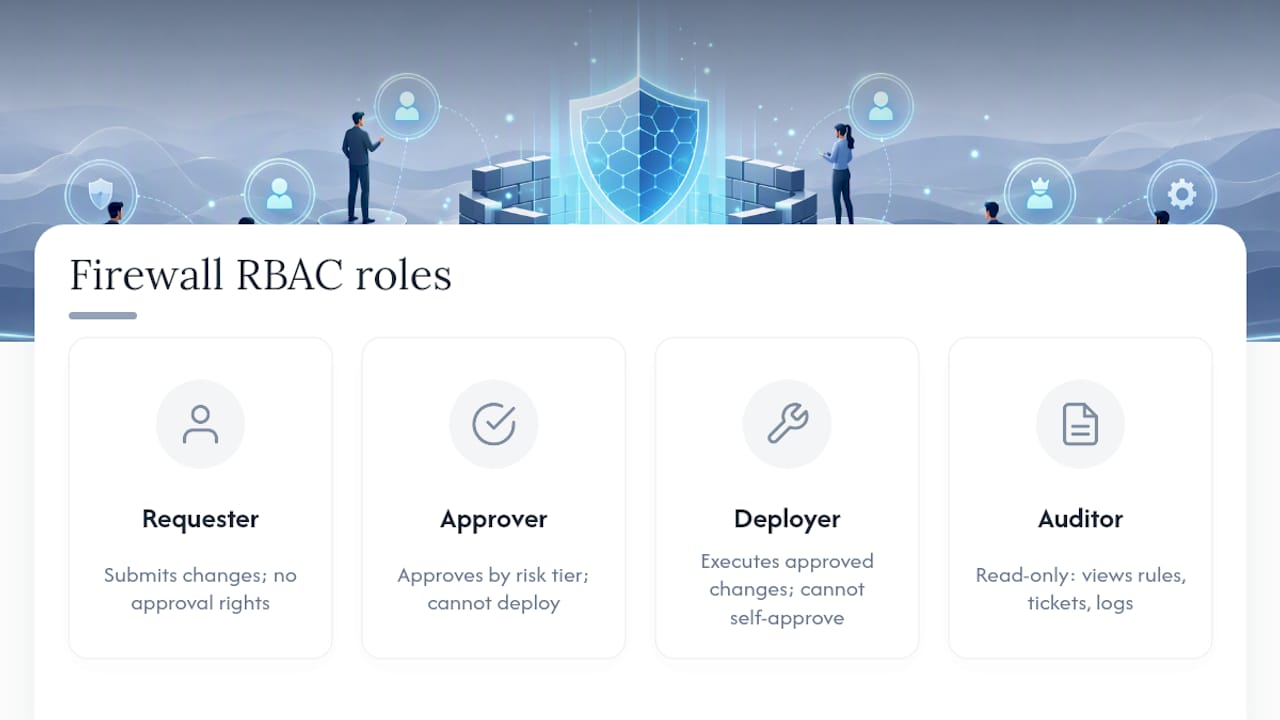
A workable model typically includes at minimum a requester role (submits changes, no approval rights), an approver role (risk-rated approval authority, often tiered by seniority), a deployer role (executes approved changes, cannot self-approve), and an auditor or read-only role (full visibility into rules, tickets, and logs with zero write access).
Multi-vendor environments complicate this because each platform manages its own local access control by default. A unified policy management layer that enforces RBAC centrally, rather than replicating role definitions separately in PAN-OS, FortiOS, and each cloud console, avoids the drift that happens when someone updates permissions on one platform and forgets the other four. It also means a single access review can confirm who can approve or deploy changes across the entire estate instead of five disconnected reviews.
Tie access reviews to the same cadence as rule recertification. If you're already contacting owners every six months to reattest rules, that's a natural checkpoint to reattest who holds approval and deployment rights too.
Connecting firewall policy management to incident response
When an incident happens, the firewall policy layer needs to become part of the response, not a bottleneck to it. That means responders need fast, safe paths to isolate compromised segments, block malicious IPs or domains, and roll back a suspicious recent change, all without waiting for the standard change approval cycle to run its full course.
The practical fix is a pre-approved emergency change category specifically for incident response, distinct from routine changes. It carries lighter approval friction (a security lead can authorize immediately) but a stricter documentation requirement afterward: what was blocked, why, when it will be reviewed for rollback, and who authorized it. This gives responders speed during the incident and a full audit trail once the fire is out.
Change history matters just as much on the other side of an incident. If a breach investigation needs to know what network access existed at the time of compromise, having accurate, timestamped rule change records, tied to ticket IDs, means investigators aren't reconstructing firewall state from memory or scattered configuration backups. This is where the audit trail built for compliance purposes doubles as forensic evidence.
Post-incident, every emergency change needs the same disable-and-monitor discipline as routine recertification: confirm the emergency rule is still needed, roll it into the standard lifecycle if it should stay permanent, or remove it once the immediate threat has passed. Emergency rules that never get revisited are exactly the kind of "temporary" access that shows up as a finding in next year's audit.
Performance impact and how to keep rulebases fast
Rule order and rulebase size both affect firewall throughput, and this gets worse as multi-vendor estates grow without cleanup. Most firewalls evaluate rules sequentially, so a bloated rulebase with thousands of legacy entries forces every packet through more comparisons than necessary before a match, adding latency that's easy to miss until traffic volumes spike.
A few practical optimization moves matter more than others. Placing high-hit-count rules earlier in the evaluation order reduces average lookup time, since most traffic matches a small number of frequently used rules. Consolidating redundant or overlapping rules, the same shadow and duplicate detection work done for hygiene, also directly reduces the rule count the firewall has to evaluate. Removing zero-hit rules identified during recertification isn't just a compliance win, it's a performance one too.
Logging configuration deserves attention here as well. Full packet logging on every rule, including high-volume, low-risk internal traffic, can create I/O bottlenecks on the firewall itself. Scoping verbose logging to security-relevant rules while keeping lighter logging on routine internal traffic balances audit needs against throughput.
Cloud security groups behave differently since most cloud providers evaluate rules in parallel rather than sequentially, so rule order matters less there than on-premises. What still matters in the cloud is the sheer number of rules and associations attached to a single resource, since some platforms impose hard limits on rule count per security group or per policy association. Regular cleanup keeps you well under those ceilings instead of discovering them during an incident.
Nexus perspective: why managed services solve what in-house teams struggle to scale
Most in-house teams don't fail at firewall policy management because they lack knowledge. They fail because normalization, recertification, and continuous monitoring are full-time disciplines competing against a dozen other IT priorities every single week.
AccountNext-Nexus builds its approach around exactly that gap: consolidating policy inventory across vendors into one view, automating recertification workflows so owner attestation happens on schedule instead of during a pre-audit scramble, and running continuous monitoring rather than periodic snapshots. The honest answer on managed versus in-house isn't universal. A team with dedicated firewall engineers and mature ITSM integration can run this internally. A team stretching two or three network admins across firewall management, cloud migrations, and everything else is usually better served handing the lifecycle work to a partner built for it.
— Nick - Sr. Executive
Get audit-ready firewall policy management without adding headcount
Every process outlined above, normalization, recertification, ITSM-integrated change control, continuous compliance reporting, takes real engineering hours to run properly every month. AccountNext-Nexus handles that operational load directly, so your team gets the outcome without carrying the ongoing workload of managing five different vendor consoles.

AccountNext-Nexus's managed IT and cybersecurity services include 24/7 monitoring and real-time threat detection, automated recertification workflows with owner attestation tracking, audit-ready reporting mapped to frameworks like SOC 2 and PCI-DSS, and incident response integration so policy changes during a security event follow a documented, pre-approved path. Clients get faster, safer change deployment and continuous compliance evidence instead of a once-a-year audit fire drill, all under a single service agreement instead of juggling separate vendors for monitoring, compliance, and infrastructure. If your rulebase hasn't had a full recertification in the last six months, that's the clearest sign it's time to talk. Schedule a discovery call with AccountNext-Nexus to map out where your current policy management has gaps.
Sources
For technical depth beyond this guide: Azure Firewall Manager's policy documentation covers cloud policy tiers and inheritance; the SANS firewall checklist gives auditors' baseline expectations; FwChange's recertification guide details the six-step audit process referenced throughout.