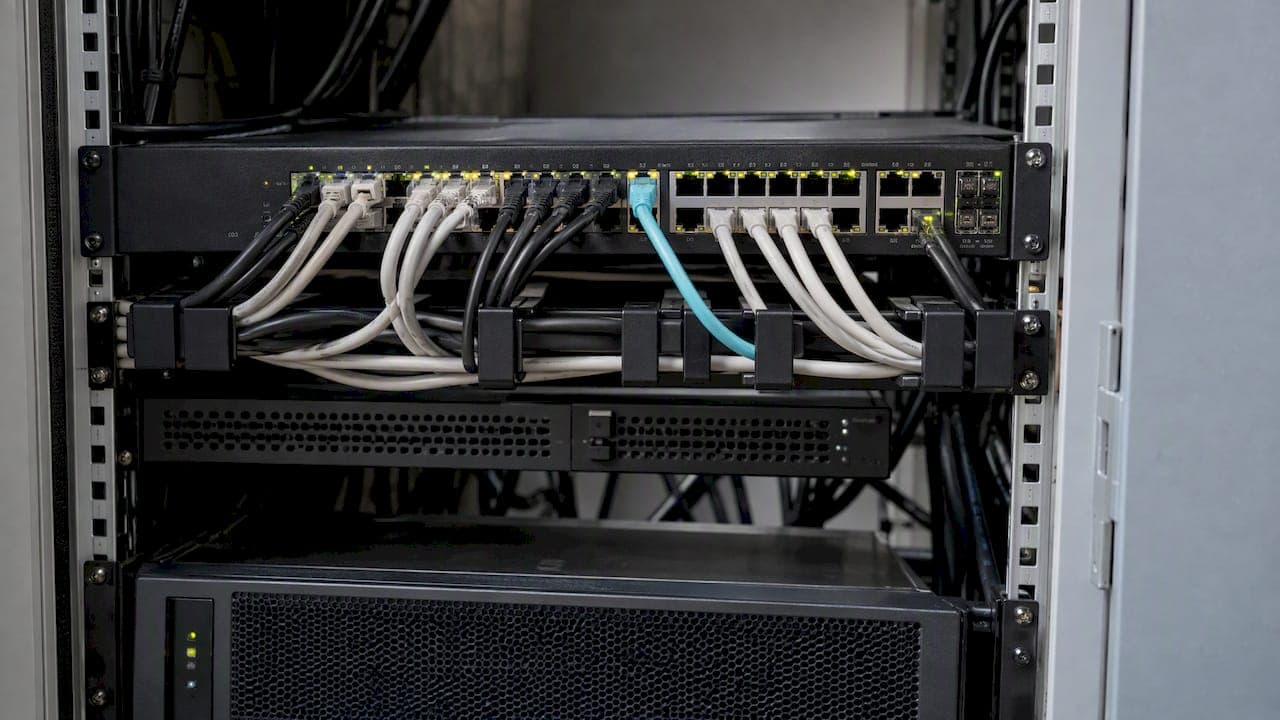
The best way to segment a network is to start with risk, not hardware. Work out which assets matter most, group them by shared security needs, block traffic between groups by default, and open only the paths the business can justify. Then monitor, patch and review those rules on a schedule. Segmentation that is drawn once and never revisited drifts out of date within a year.
This guide covers how to plan a segmentation strategy, how to design the zones, where VLANs help and where they don't, how zero trust changes the picture, and the mistakes that make segmented networks harder to run than flat ones.
TL;DR
- Assess risk and classify assets first. CISA's 2024 guidance says to do this before choosing segmentation solutions.
- Start with the highest-risk areas, such as sensitive data stores and administrative functions, then extend outward.
- Use deny-by-default rules: block everything between segments, then allow only named sources, destinations and ports.
- VLANs group resources, but they only help when traffic between them is controlled, logged and reviewed.
- Segmentation is one control among several. Pair it with patching, vulnerability scanning and audit logging.
Table of Contents
- What network segmentation does for security
- Build the strategy before the diagram
- Designing the zones
- Write rules that default to deny
- VLAN segmentation: what it is and what it isn't
- Where zero trust fits
- A step-by-step rollout
- Challenges and how to handle them
- Our perspective
- Getting help with segmentation
- Segmentation review checklist
- FAQ
- Sources
What network segmentation does for security
Network segmentation divides a network into separate zones so that a compromise in one zone does not give an attacker a free path into the rest. In a flat network, a single infected laptop, a vulnerable printer or a stolen vendor login can reach file servers, backups and databases. In a segmented network, each of those hops hits a checkpoint.
The benefits are practical:
- Smaller blast radius. An intruder who lands in the guest Wi-Fi or a point-of-sale system cannot browse to the finance servers.
- Easier detection. Traffic between zones follows predictable patterns, so unusual flows stand out.
- Protection for fragile systems. Legacy equipment, medical devices and industrial controllers that can't be patched quickly can sit behind tight rules.
- Clearer scope for audits. When regulated data lives in a defined zone, you can show an assessor exactly where it is and what touches it.
Be realistic about the limits, though. NHS England's guidance makes the point that segmentation reduces the attack surface but is only one part of a broader set of controls. A well-segmented network with unpatched servers and no logging is still a weak network.
Build the strategy before the diagram
Most failed segmentation projects started with a switch configuration instead of a strategy. The Australian Cyber Security Centre says segmentation works best when treated as an organizational capability, with executive leadership, governance and a defined risk appetite. It also warns that without clear strategic direction, technical controls alone are unlikely to deliver their intended outcomes.
Microsoft's guidance describes a segmentation strategy as a statement of how a logical section of a solution is separated from others, with its own security requirements and measures. It should cover networks, roles and responsibilities, workload identities and how resources are organized, and the roles and functions should be documented and shared.
In practice, a workable strategy answers five questions:
- What are we protecting? List the crown jewels: customer data, regulated records, source code, financial systems, backups.
- Who and what needs to reach them? Name the users, devices and applications, and what each needs to do.
- What is the risk if each zone is breached? This sets priority and how strict the rules need to be.
- Who owns each zone and each rule? An unowned firewall rule is a future incident.
- How will we know it still works? Define reviews, testing and monitoring up front.
Assess risk first
CISA's joint 2024 guide states that organizations should assess their security posture and risk before selecting and implementing segmentation solutions. That means a current asset inventory, a map of how data flows, and a view of which systems are exposed to the internet or to third parties. If you don't have those, building them is step one, not a delay.
Begin with the highest-risk areas
You don't need to redesign everything at once. New Zealand's NCSC suggests starting with high-risk areas such as sensitive data stores or critical administrative functions. For many small and mid-sized businesses that means three early moves: separate guest and personal devices from business systems, put servers and backups in their own zone, and isolate the management interfaces that administrators use.

Designing the zones
The same NCSC guidance gives a useful checklist for design: understand which devices are connected, who uses them, what data they can reach, and which other devices they must talk to. Those four answers become your zones and your rules.

A practical zone model
Most organizations land on some variation of the following. Adjust it to your environment rather than copying it.
| Zone | Typical contents | Default posture |
|---|---|---|
| User | Employee laptops and workstations | Can reach approved apps and the internet; cannot reach servers' admin ports |
| Server / application | Line-of-business apps, file servers | Accepts only defined application traffic from user and DMZ zones |
| Data | Databases, regulated records, backups | Accepts connections only from specific application servers |
| Management | Admin consoles, hypervisors, network gear | Reachable only from hardened admin workstations |
| DMZ | Public-facing web and mail services | Inbound from the internet, tightly limited outbound |
| Guest / IoT | Visitor Wi-Fi, cameras, printers, smart devices | Internet only; no route to internal zones |
| Third-party | Vendor and contractor access | Time-limited, single-purpose, logged |
For a ten-person office, this may collapse to four zones. For a hospital or a multi-site company, it may mean dozens. The right number is the one your team can document, monitor and explain.
Avoid both extremes
Too few zones leave you with a flat network in disguise. Too many create a rule set nobody understands, which leads to emergency "allow any" exceptions that undo the work. If a zone has no distinct security requirement, no distinct owner and no distinct traffic pattern, it probably doesn't need to exist.
Example environments
The same principles look different depending on where you work:
- Small business: a firewall with separate zones for staff, servers, guests and cameras or printers, plus a separate backup target that standard user accounts can't reach.
- Healthcare provider: clinical systems and medical devices in their own zones, patient-record systems behind application-level rules, and vendor remote access terminated in a monitored third-party zone. Our guide on healthcare network security practices covers the wider controls around this.
- Cloud environment: Microsoft's example is isolating deployment environments by stage and grouping Azure workloads with subscriptions and resource groups, then using virtual networks and network security groups to control traffic between resources. Development, test and production should not share a flat network.
- Operational technology (OT): plant and building systems belong in separate zones, with strict rules on what the corporate network can reach.
Write rules that default to deny
The rule set is where segmentation succeeds or fails. Two government sources land on the same principle. CISA's 2024 guide says that all connections to OT networks should be denied by default unless explicitly allowed by IP address and port for specific system functionality. New Zealand's NCSC frames it as a 'block all by default' policy where ports are opened only for necessary, explicitly identified connections.
That applies well beyond OT. For every zone boundary:
- Start with a deny-all rule in both directions.
- Add allow rules one at a time, each tied to a business reason, an owner and a review date.
- Restrict by source, destination and port, not by whole subnets.
- Log denied and allowed cross-zone traffic.
- Remove rules that no longer match traffic.
The rule-management side deserves its own process. If you struggle with stale rules and undocumented exceptions, see our piece on audit-ready firewall policy management.
Other controls CISA lists
The same CISA guide lists a set of practices that sit alongside segmentation: centralized management, scanning public-facing assets for vulnerabilities, disabling unnecessary operating system applications and network protocols, and granting users least-privilege access. These shrink what an attacker can use even inside an allowed path.
VLAN segmentation: what it is and what it isn't
VLANs are the most common way to create segments on switched networks, and they are a good building block. NIST's SP 800-215 notes that segmentation often uses network layer abstractions such as VLAN IDs for grouping, while policies are implemented through network address constructs. The practice that follows is to use VLANs to group resources with similar security requirements, then make sure traffic crossing between them is controlled and monitored under explicit policy.
That last part is the one people skip. A VLAN by itself separates broadcast domains. It does not decide what is allowed between them. If your VLANs route freely through a layer 3 switch with no access lists, you have labelled your flat network, not segmented it.
For VLAN designs, keep to these habits:
- Match VLANs to security zones, not to floors or departments for convenience.
- Route inter-VLAN traffic through an enforcement point, such as a firewall or properly filtered layer 3 device.
- Keep management traffic on its own VLAN and limit who can reach it.
- Disable unused switch ports and don't leave default or unused VLANs carrying live traffic.
- Document the address plan. A consistent scheme (for example, location and function encoded in the address ranges) makes rules easier to read and audit.
- Test the boundaries from a device in each VLAN rather than trusting the configuration.
For higher-risk zones, add stronger enforcement such as dedicated firewall interfaces, host-based rules or microsegmentation, so that a switch misconfiguration is not the only thing standing between zones.
Where zero trust fits
Zero trust segmentation is not a replacement for the zones above. It is a stricter way to run them. CISA describes zero trust as assuming no user or asset is implicitly trusted, and requiring each user, device and application to continually reauthenticate and reauthorize, and says hardware-enforced segmentation can support policies that foster this approach.
Microsoft's zero trust guidance says segmentation should not rely solely on perimeter controls and should be enforced at every possible layer, including between environments, applications and workloads. In that model, every segment boundary acts as a checkpoint, not just the network edge.
What this means for your design:
- Being "inside" a zone grants no automatic trust. Access depends on identity, device health and the specific request.
- Enforcement moves closer to the workload, through host firewalls, cloud security groups and application-aware policies.
- Rules are built around who and what, not just IP ranges.
You don't have to adopt all of this at once. A sensible path is to get your coarse zones and deny-by-default rules in place, then tighten identity-based access zone by zone. Our write-ups on NIST-aligned zero trust network design and a two-quarter zero trust access pilot walk through that progression.
A step-by-step rollout
- Inventory and classify. Devices, applications, data stores, third-party connections.
- Map the flows. Observe real traffic for a few weeks before blocking anything. Capture who talks to what and over which ports.
- Define zones and owners. Keep the first version small.
- Build the enforcement points. Firewalls, VLAN access controls, cloud security groups, host rules.
- Run in monitor mode. Log what would be blocked and fix surprises before enforcement.
- Enforce, one zone at a time. Start with the highest-risk zone and the simplest traffic.
- Test. Confirm that blocked paths are actually blocked and that critical business functions still work.
- Review on a schedule. Rules, exceptions, vendor access and new systems.
Challenges and how to handle them
Segmentation has costs, and the UK NCSC flags a significant one: it may affect your ability to patch or monitor systems. Its advice is to document how you will plan, design, enforce and monitor segmentation, and to prioritize actions using situational awareness.
In day-to-day terms, watch for these:
- Patch and scanner reach. Make sure patch servers, endpoint agents and vulnerability scanners have approved paths into every zone. Otherwise segmented systems quietly fall behind. See our patch management policy guide and vulnerability management process.
- Blind spots in monitoring. If your logging and detection tools only see one segment, an attacker in another goes unnoticed. NHS England recommends pairing segmentation with regular patching, vulnerability scanning and audit logging.
- Rule sprawl. Every exception needs an owner and an expiry, or it becomes permanent.
- Third-party access. Vendors tend to ask for broad access. Give them a dedicated zone, specific destinations and logging.
- Remote access. Remote users should reach applications through controlled paths, not land on the internal network. Our remote access security roadmap covers this.
- Operational friction. If segmentation breaks workflows, people find workarounds. Involve system owners early and test with real tasks.
Our perspective
We see the same pattern across small businesses, healthcare providers and growing tech companies: segmentation gets done as a project, then ignored as a process. The diagram is fine on day one. Eighteen months later, there are forty temporary firewall exceptions, a vendor with an always-on tunnel, and nobody sure which VLAN the new cameras ended up in.
Three things separate segmentation that lasts from segmentation that decays:
- One owner for the whole picture. When networking, security and compliance are handled by different vendors, each assumes another is watching the rules. Consolidating them under one accountable team means a rule change is reviewed against detection, patching and audit needs at the same time.
- Monitoring designed in, not added later. Cross-zone traffic is some of your best detection data. We build segmentation and 24/7 monitoring together so that a denied connection from a server zone to the guest network raises a flag.
- Fewer zones, better kept. We would rather see a small number of zones with clear owners and tight rules than a sprawling design nobody reviews.
Start with your most valuable data and your most exposed systems, get deny-by-default working there, and expand. Progress you can maintain beats a perfect design you can't.
— Nick - Sr. Executive
Getting help with segmentation
If you'd rather not run this alongside everything else on your plate, Nexus designs and operates segmented networks as part of its managed IT and cybersecurity services. That covers network infrastructure design, cloud environments on AWS, Azure and Google Cloud, 24/7 threat detection, vulnerability management and compliance assessments, all under one contract and one point of accountability. You can see the full range on our IT and cybersecurity services page.

If you're planning a segmentation project, a compliance audit or a cloud migration, talk to Nexus about scoping it.
Segmentation review checklist
Use this to test your current design:
- Do we have a current inventory of assets and data flows?
- Are zones defined by security requirement, with a named owner?
- Is every zone boundary deny-by-default, with each allow rule documented?
- Are VLANs enforced by a firewall or access controls, not just labelled?
- Are management interfaces reachable only from hardened admin systems?
- Do patching, scanning and logging tools reach every zone?
- Is vendor access limited, time-bound and logged?
- Have we tested the boundaries in the last year, and reviewed rules since?
FAQ
What is the best way to segment a network?
Start with a risk assessment and asset inventory, then group systems by shared security requirements and protect the highest-risk zones first. Set boundaries to deny by default and allow only documented traffic. Keep the design small enough that your team can review and monitor it.
What is a network segmentation strategy?
It is a documented plan for how parts of your environment are separated, what security requirements each part has, and who is responsible for it. As Microsoft's guidance describes, it covers networks, roles, workload identities and resource organization. It should be set before you configure devices.
What is an example of network segmentation?
A small clinic might put staff computers, clinical systems, patient-record servers, guest Wi-Fi and connected devices in separate zones. A firewall allows only specific connections between them, such as workstations to the records application on one port. A compromised guest device then has no route to patient data.
Is a VLAN enough for segmentation?
No. A VLAN groups devices, but security comes from the policy that controls traffic between VLANs. Without firewall rules or access lists and logging at the boundary, a VLAN is only a label. NIST SP 800-215 pairs VLAN grouping with controlled and monitored cross-boundary traffic.
How does zero trust relate to segmentation?
Zero trust treats every segment boundary as a checkpoint and requires users, devices and applications to keep proving who they are. Segmentation supplies the boundaries, and zero trust decides who may cross them. Most organizations tighten from coarse zones toward identity-based rules over time.
Sources
- CISA and partners, Modern Approaches to Network Access Security (2024)
- NIST SP 800-215, Guide to a Secure Enterprise Network Landscape
- Microsoft, Architecture strategies for building a segmentation strategy
- Microsoft Zero Trust, Define Segmentation Strategy
- New Zealand NCSC, Network separation and segmentation
- Australian Cyber Security Centre, Network segmentation and segregation overview
- NHS England, Network segmentation: an introduction
- UK NCSC, Plan how to harden networks rapidly