
GCP security monitoring means continuously collecting telemetry, detecting threats, and tracking compliance posture across your Google Cloud environment, and the practical answer to "how do I do this right" is Security Command Center as your central findings and posture hub, fed by Cloud Logging, Pub/Sub, and BigQuery for aggregation and analytics. For enterprise-scale detection and response, that data needs to flow into a SIEM or Google Security Operations rather than living in SCC alone.
TL;DR:
- Most organizations can effectively use SCC Standard plus a tailored log export pipeline if their SOC has strong SIEM integration and they operate in a single cloud environment.
- Cost considerations are crucial since BigQuery storage and query costs scale with log volume, so filtering logs aggressively before ingestion helps manage expenses.
- Activation of SCC at the organization level, rather than on individual projects, is essential for cross-project visibility and integrating services like Google Workspace monitoring.
- Combining log-based, agentless, and runtime detections covers different threat categories, but each layer requires specific data sources and continuous tuning for effectiveness.
- For multi-cloud or mature SOC operations, integrating SCC findings with a dedicated SIEM or Security Operations platform becomes necessary for comprehensive detection, correlation, and long-term analysis.
Table of Contents
- What is Security Command Center and which tier do you need?
- How do log-based, agentless, and runtime detection differ?
- How do you architect log exports and SIEM integration?
- What does a graduated GCP security monitoring checklist look like?
- How do you turn SCC findings into an incident response workflow?
- Can you catch security problems before deployment?
- Why does organization-level activation matter so much?
- What can't Security Command Center do on its own?
- Which metrics actually tell you your monitoring is working?
- What compliance standards does GCP security monitoring support?
- Nexus perspective: consolidation reduces the gaps that attackers exploit
- How Nexus supports GCP security monitoring around the clock
- Authoritative Google Cloud docs and architecture blueprints
- Sources
- FAQ
What is Security Command Center and which tier do you need?
Security Command Center (SCC) is Google Cloud's built-in hub for security findings, vulnerability data, and posture management. Instead of hunting through separate dashboards for misconfigurations, active threats, and compliance drift, SCC pulls all three into one place and assigns severity so your team knows what to look at first.
SCC ships in three tiers, and the differences between them matter a lot more than a quick feature comparison chart suggests.
- Standard costs nothing and covers essential posture management, including basic vulnerability findings and misconfiguration checks against your resource hierarchy.
- Premium adds Event Threat Detection, container and VM threat detection, AI security protections, and virtual red teaming that simulates attacker paths through your environment.
- Enterprise extends that further with multi-cloud coverage (AWS and Azure alongside GCP) and automated remediation workflows that can act on findings without a human clicking "approve" every time.
As of 2026, Security Command Center's service tiers run on a no-cost Standard baseline, with Premium and Enterprise priced through subscription or pay-as-you-go models depending on your resource footprint. That pricing structure is worth sitting with for a second: a lot of organizations run Standard for years, assume they're covered, and never realize Event Threat Detection (the thing that actually catches active compromise, not just misconfiguration) is a Premium feature.
Choosing a tier comes down to two questions: how big is your SOC, and how much of the detection workload do you want Google doing versus your own analysts? A five-person security team at a mid-sized company usually gets more value out of Premium's automated detectors than out of trying to build custom detection logic on Standard's posture data alone. Enterprise makes sense once you're running workloads across multiple cloud providers and need one console instead of three.
Pro Tip: Don't default to Premium just because it sounds safer. If your organization is single-cloud and your SOC already has strong SIEM correlation in place, Standard plus a well-tuned export pipeline can cover more ground than people expect.
How do log-based, agentless, and runtime detection differ?
SCC's threat detection works across three distinct layers, and each one catches a different category of problem because each one looks at different data.
Log-based detection runs through Event Threat Detection, which watches Cloud Logging streams in near real time using indicator-of-compromise matching, machine learning models, and anomaly detection. This layer needs Admin Activity and Data Access audit logs flowing continuously. It's what catches things like anomalous IAM grants, suspicious API calls from unfamiliar geographies, or a service account suddenly requesting permissions it's never touched before.
Agentless detection scans virtual machines without requiring you to install anything on the instance itself. It looks for exposed credentials, vulnerable software versions, and malware signatures sitting on disk, which matters because a compromised VM often shows no unusual network behaviour until the attacker is ready to move.
Runtime detection covers GKE and Cloud Run workloads, watching container and serverless execution for behaviour that shouldn't happen: reverse shells calling out to external IPs, unexpected privilege escalation inside a container, or a process trying to escape its container boundary into the host.
| Detection layer | Primary data source | Example threats caught |
|---|---|---|
| Log-based (Event Threat Detection) | Cloud Logging audit streams | Anomalous IAM changes, credential misuse, suspicious API activity |
| Agentless | VM disk and configuration scans | Exposed secrets, vulnerable packages, known malware |
| Runtime | GKE/Cloud Run execution monitoring | Reverse shells, container escapes, privilege escalation |
Every detector writes its output as a finding, tagged with a severity level from Low to Critical. When multiple findings share a pattern, timeline, or resource chain, SCC groups them into a Correlated Threat, which reconstructs the attack path instead of leaving your analysts to manually piece together five unrelated alerts that are actually one incident.
Pro Tip: When triaging a Correlated Threat, check the involved identities field first. Event Threat Detection often surfaces the compromised service account or user before the resource-level alert does, which saves a step in the investigation.
How do you architect log exports and SIEM integration?
The reference pattern most GCP security architectures converge on looks straightforward on paper: telemetry flows from individual projects into a centralized logging project or dedicated logs bucket, then into BigQuery for analytics and historical hunting. Getting the details right is where teams stumble.
- Centralize first. Route Cloud Logging from every project into a single logging project or organization-level log sink, rather than leaving each team to manage its own retention and export settings independently.
- Land high-value logs in BigQuery. Not every log type needs to sit in an analytics warehouse. Filter for audit logs, VPC flow logs, and firewall logs that actually get queried during investigations, and route lower-value logs to cheaper cold storage instead.
- Export SCC findings via Pub/Sub. Configure a continuous export so every new finding lands on a Pub/Sub topic in near real time, rather than relying on someone checking the SCC console.
- Process findings with Cloud Run. A lightweight Cloud Run function can subscribe to that Pub/Sub topic, enrich the finding with context, and forward it to your SIEM or Google Security Operations instance.
- Decide your SIEM path. Google Security Operations makes sense when you want native Mandiant and VirusTotal enrichment without standing up separate infrastructure. A third-party SIEM makes more sense if you're already running one across AWS or on-prem systems and need one pane of glass for everything.
Google's detective-controls blueprint documents this exact pattern: centralize logs to BigQuery, use Cloud Scheduler paired with Cloud Run for custom queries and custom findings, and rely on Pub/Sub for the continuous export layer. It's a well-tested design because Google's own foundation teams build it this way for internal reference architectures, not because it's the only option.
The trade-off nobody mentions upfront is cost. BigQuery storage and query costs scale with log volume, and audit logs from a busy GCP organization add up fast. The fix isn't cutting corners on what you log. It's filtering aggressively before ingestion: send Admin Activity logs everywhere because they're small and critical, but be selective about Data Access logs, which can be enormous in high-traffic environments and often contain more noise than signal for security purposes.
Retention policy needs the same discipline. Keep 30 to 90 days of hot, queryable data in BigQuery for active investigations, and push anything older into cheaper storage that satisfies compliance retention windows without draining your analytics budget. A SIEM ingestion plan built around this split, hot data for hunts, cold data for compliance, keeps both your SOC and your finance team reasonably happy.
Pro Tip: Test your Pub/Sub to Cloud Run pipeline with a deliberately triggered low-severity finding before you go live. It's the fastest way to confirm your forwarding logic actually works before a real Critical finding depends on it.
Understanding how audit logs, VPC flow logs, and retention windows fit together is worth a deeper look if you're building this from scratch, and a closer read on logging in cloud security walks through the retention and log sink decisions in more detail.
What does a graduated GCP security monitoring checklist look like?
Google's own security best practices catalog organizes controls into implementation levels, which is a useful way to avoid the common trap of trying to do everything at once and burning out your SOC in month one.
Basic (do this first, no exceptions):
- Enable Admin Activity and Data Access audit logs across every project in your organization.
- Turn on SCC Standard at the organization level, not project level.
- Enable VPC firewall rule logging so you can see what's actually being blocked and allowed.
Intermediate (once basics are stable):
- Activate Event Threat Detection to get log-based threat detection running.
- Turn on VM and container detections under SCC Premium.
- Build log sinks that route relevant data into BigQuery for querying.
- Configure centralized alerting so findings reach the right team automatically instead of sitting in a console nobody checks daily.
Advanced (mature SOC territory):
- Correlate SCC findings inside a SIEM for cross-environment visibility.
- Automate remediation using Pub/Sub triggers and Cloud Run functions for well-understood, repeatable finding types.
- Enable virtual red teaming under Premium or Enterprise to simulate attacker paths proactively.
- Layer in data security posture management (DSPM) for sensitive data classification and monitoring.
Prioritizing across these levels comes down to risk exposure versus SOC capacity. An organization handling regulated health data should push toward Intermediate controls even with a small team, because the compliance exposure from a missed detection outweighs the operational overhead. A smaller company with lower regulatory stakes can sit comfortably at Basic plus a few Intermediate controls for a while. Building a solid cloud security posture first makes every control above it more effective, since posture gaps generate the noisy runtime alerts that Advanced-level teams spend half their time chasing.
How do you turn SCC findings into an incident response workflow?
A finding sitting in a dashboard does nothing. The value shows up when it triggers a workflow, gets assigned to a human or an automated playbook, and closes with a documented outcome.
- Set alert thresholds that match severity, not volume. Route every Critical and High finding to a paging system immediately; batch Medium and Low findings into a daily digest so analysts aren't drowning in noise.
- Map findings to owners before an incident happens. A finding about an exposed storage bucket should route to the team that owns that bucket, not to a generic security inbox where it waits for triage.
- Trigger automated playbooks through Pub/Sub. For well-understood finding types, like a publicly exposed storage bucket, a Cloud Run function can automatically flip the access control back to private and notify the owner, rather than waiting for manual review.
- Run a structured triage checklist for correlated threats. Confirm the affected resource and identity, check the finding's timeline against recent deployments or access changes, isolate the resource if compromise looks likely, and document the chain before closing.
- Retain logs for forensics. Keep enough historical data in BigQuery or a long-term sink to reconstruct an incident weeks or months later, since regulators and insurers frequently ask for exactly that kind of retrospective evidence.
Automating response through SIEM or SOAR exports cuts the time between detection and remediation substantially, mainly because it removes the human bottleneck for the categories of finding that don't actually need human judgment. Reserve analyst time for the ambiguous cases and let automation handle the obvious ones.
Pro Tip: Build your triage checklist as a literal runbook document, not tribal knowledge in someone's head. When a Critical correlated threat fires at 2 a.m., the on-call analyst needs steps they can follow half-asleep, not a mental model they have to reconstruct under pressure.
Learning how security orchestration actually works at the SOC level helps clarify where automation genuinely saves time versus where it just moves the bottleneck somewhere else.
Can you catch security problems before deployment?
Runtime detections are, in a real sense, a symptom of things that should have been caught earlier. Every reverse shell alert in production started as a misconfiguration or vulnerable dependency that shipped through CI/CD unnoticed.
Shifting security left means catching those problems in the pipeline instead of in production logs.
- Integrate infrastructure-as-code scanning into your CI/CD pipeline so Terraform or KRM configurations get checked before they're ever applied.
- Run Security Health Analytics checks as a pipeline gate, not just as a post-deployment audit.
- Enforce organization policy constraints and IAM least-privilege rules before code merges, not after a security review flags them weeks later.
- Gate deployments on posture checks: a build that fails a critical policy check simply doesn't ship until it's fixed.
In practice, this looks like a pre-deploy step that runs a policy scanner against your Terraform plan, fails the build if it detects a public-facing storage bucket or an overly permissive IAM binding, and only allows the merge once the configuration passes. Shift-left security done this way measurably reduces the volume of noisy runtime alerts your SOC has to chase, because half of those alerts were preventable misconfigurations in the first place. Teams building cloud-native applications benefit from baking these checks into their development workflows from day one rather than retrofitting them later.
Why does organization-level activation matter so much?
A surprising number of GCP security programs quietly cripple themselves at setup by activating SCC at the project level instead of the organization level. Project-level activation limits which integrated services and detectors you get access to, and it blocks cross-project visibility entirely, which defeats a lot of the point of centralized monitoring.
Organization-level activation is required to unlock Google Workspace log monitoring, which means any project-only setup is blind to suspicious activity in Google Workspace itself: unusual admin console changes, mass file sharing, or anomalous login patterns across your organization's user accounts.
Getting activation right involves a short list of decisions:
- Activate SCC at the organization level, not on individual projects, from the start.
- Enable the detectors relevant to your tier (Event Threat Detection, VM/container detection) rather than leaving defaults untouched.
- Link Cloud Logging streams across every project so detectors have the telemetry they need.
- Enable integrated services like Google Workspace log monitoring if your organization uses Workspace.
- Configure IAM permissions so the right teams can view findings without over-granting access to the whole console.
The most common misstep isn't a technical failure. It's an organization activating SCC on their production project years ago, forgetting it exists, and never re-evaluating the setup as the org grew to a dozen more projects with zero visibility.
What can't Security Command Center do on its own?
SCC does a lot well: built-in detectors across three layers, posture management, and a single place to see findings ranked by severity. It genuinely reduces the setup work of building detection from scratch.
Where it runs into limits is retention, correlation, and enrichment at scale. SCC isn't designed to be your system of record for months of historical log data, and it doesn't natively correlate GCP findings against telemetry from AWS, Azure, or on-prem systems the way a dedicated SIEM does.
That's the point where Google Security Operations or a third-party SIEM earns its keep: retroactive threat hunts across a year of data, multi-cloud correlation for organizations running hybrid infrastructure, and enrichment from threat intelligence sources like Mandiant or VirusTotal that SCC doesn't provide natively. If your organization runs single-cloud on GCP with a small SOC and modest compliance requirements, SCC alone might genuinely be enough for a while. The moment you're managing multi-cloud infrastructure, facing strict retention mandates, or running a SOC mature enough to want proactive threat hunting, a dedicated SIEM stops being optional.
Which metrics actually tell you your monitoring is working?
Dashboards full of finding counts feel productive but tell you almost nothing about whether your monitoring program is effective. A handful of metrics matter more than the rest.
Mean time to detect (MTTD) measures how long a threat sits active before a finding surfaces. A well-tuned Event Threat Detection setup should catch most anomalous access patterns within minutes, not days.
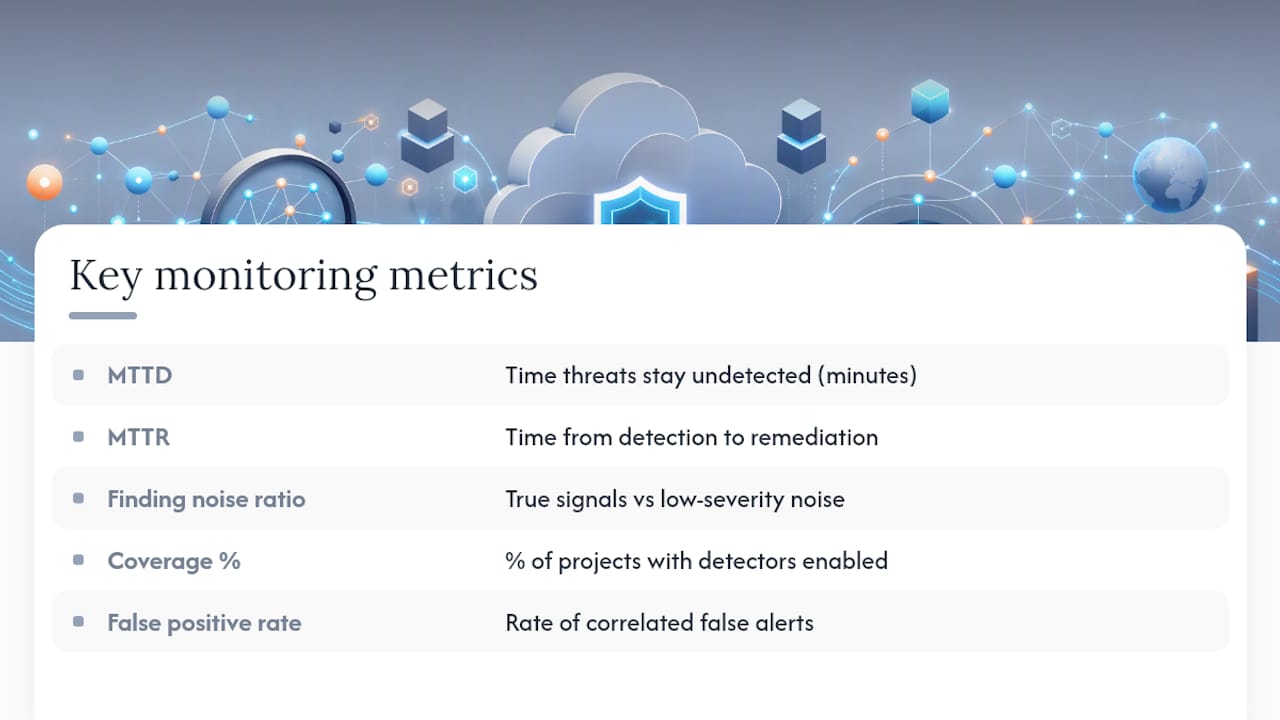
Mean time to respond (MTTR) tracks the gap between detection and remediation. This is the number automated Pub/Sub to Cloud Run playbooks are built to shrink.
Finding-to-noise ratio matters more than raw finding volume. A SOC drowning in thousands of Low severity findings a week isn't more secure than one seeing fifty well-triaged Critical and High findings. It's just louder.
Coverage percentage tracks how many projects across your organization actually have SCC and Event Threat Detection active, since gaps here mean blind spots regardless of how good your detectors are where they're enabled.
False positive rate on correlated threats tells you whether your detection tuning is actually working or whether analysts are learning to ignore alerts, which is its own kind of failure.
Track these against SOC capacity, not against an arbitrary industry benchmark. A five-person team with an MTTR of four hours on Critical findings is performing well; a fifty-person enterprise SOC should be measuring itself against a much tighter number given the resources available.
What compliance standards does GCP security monitoring support?
Compliance monitoring in GCP works by mapping SCC findings and posture checks against the control requirements of specific frameworks, rather than treating compliance as a separate exercise from security monitoring.
SCC's posture management capabilities align with common frameworks organizations are already accountable to: SOC 2, HIPAA, PCI DSS, and ISO 27001 among them. The mechanism is straightforward: misconfigurations that violate a framework's control requirements (an unencrypted storage bucket for a HIPAA-covered organization, for example, or an overly permissive firewall rule under PCI DSS) surface as findings the same way a security threat would.
The practical value here is continuous compliance rather than point-in-time audits. A traditional compliance audit checks your environment once, maybe twice a year. SCC's posture checks run continuously, which means configuration drift, a firewall rule loosened for a one-off debugging session and never tightened back, gets flagged within hours instead of surfacing six months later during an audit.
That said, SCC's compliance mapping covers infrastructure and configuration controls well but doesn't replace the administrative and procedural evidence auditors need for a full SOC 2 or ISO 27001 certification. Treat it as the technical evidence layer of your compliance program, not the entire program.
Nexus perspective: consolidation reduces the gaps that attackers exploit
Most breaches trace back not to a missing tool but to a gap between tools: a finding nobody owned, a log stream that quietly stopped flowing, an alert routed to an inbox nobody checks. Building SCC, Event Threat Detection, and a SIEM into a coherent monitoring program takes real engineering discipline, and most internal teams are stretched too thin to maintain it consistently over years, not just at launch.
That's the trade-off worth being honest about: doing it yourself gives you control, but consolidating detection, response, and compliance under one accountable team closes the ownership gaps that fragmented setups tend to create.
— Nick - Sr. Executive
How Nexus supports GCP security monitoring around the clock
Building the architecture described above, SCC tuned to the right tier, Event Threat Detection wired into a SIEM pipeline, findings routed to owners with automated playbooks, is a real engineering project, and maintaining it as your GCP environment grows is an ongoing job, not a one-time setup.

A consolidated approach places IT management, compliance consulting, and monitoring tooling under a single accountable team rather than distributed groups. This includes around-the-clock threat detection and monitoring across major cloud platforms, incident response, and compliance support for various frameworks, aiming to reduce vendor finger-pointing when issues arise. Rather than handling Security Command Center tiers, Pub/Sub pipelines, and SIEM integration internally with limited resources, organizations benefit from access to experienced practitioners who manage these architectures.
If your GCP environment is running on default logging with no SIEM integration, or you're not sure which SCC tier you're actually paying for, request an assessment through the Nexus services page to see where the gaps are before an attacker finds them first.
Authoritative Google Cloud docs and architecture blueprints
For deeper configuration reading, start with Google's own documentation: the Security Command Center overview, the Event Threat Detection concepts guide, the detective controls blueprint, and the Google Security Operations product page.
Sources
FAQ
What is GCP security?
GCP security covers the shared-responsibility controls, identity management, network configuration, and monitoring tools that protect workloads running on Google Cloud Platform. It spans preventive controls like IAM and firewall rules alongside detective controls like Security Command Center that catch threats and misconfigurations after deployment.
What is SIEM in GCP?
A SIEM (security information and event management) system aggregates, correlates, and retains security logs and findings from across your environment for analysis and long-term threat hunting. In GCP, this typically means exporting SCC findings and Cloud Logging data into Google Security Operations or a third-party SIEM for correlation beyond what SCC alone provides.
Is Google SOC a SIEM?
Security Command Center is not itself a full SIEM. It's a findings and posture management hub with built-in detection layers, but it lacks the long-term retention, cross-cloud correlation, and advanced enrichment that a dedicated SIEM like Google Security Operations provides.
Is GCP SOC 2 compliant?
Google Cloud Platform's underlying infrastructure holds SOC 2 certification, but an organization's specific workloads and configurations on GCP still need their own compliance validation. SCC's posture management helps by continuously flagging configuration drift against SOC 2 control requirements, though it works alongside, not instead of, a full compliance assessment such as those AccountNext-Nexus provides for organizations preparing for a SOC 2 audit.
How much does GCP security monitoring cost?
Costs vary based on which SCC tier you run, log volume routed to BigQuery, and whether you add a SIEM. Standard tier carries no cost, while Premium and Enterprise use subscription or pay-as-you-go pricing based on your environment's size, and AccountNext-Nexus's own pricing for managed monitoring services is available on request through the services page.